
Built for my family, free for yours
PipPay
A chore chart and pretend piggy bank in one app. I built it for my two kids. Then I opened it up so any family can use it, free, at pippay.app.
The problem
Chores at our house ran on memory. Who did the dishes Tuesday? Was that bed actually made, or "made"? And come payday, nobody could agree on what anybody was owed... least of all me.
The paid apps for this mostly want to be a bank: debit cards, linked accounts, monthly fees. I didn't want a bank. I wanted the chart, the proof, and a number the kids could watch grow.
What it does
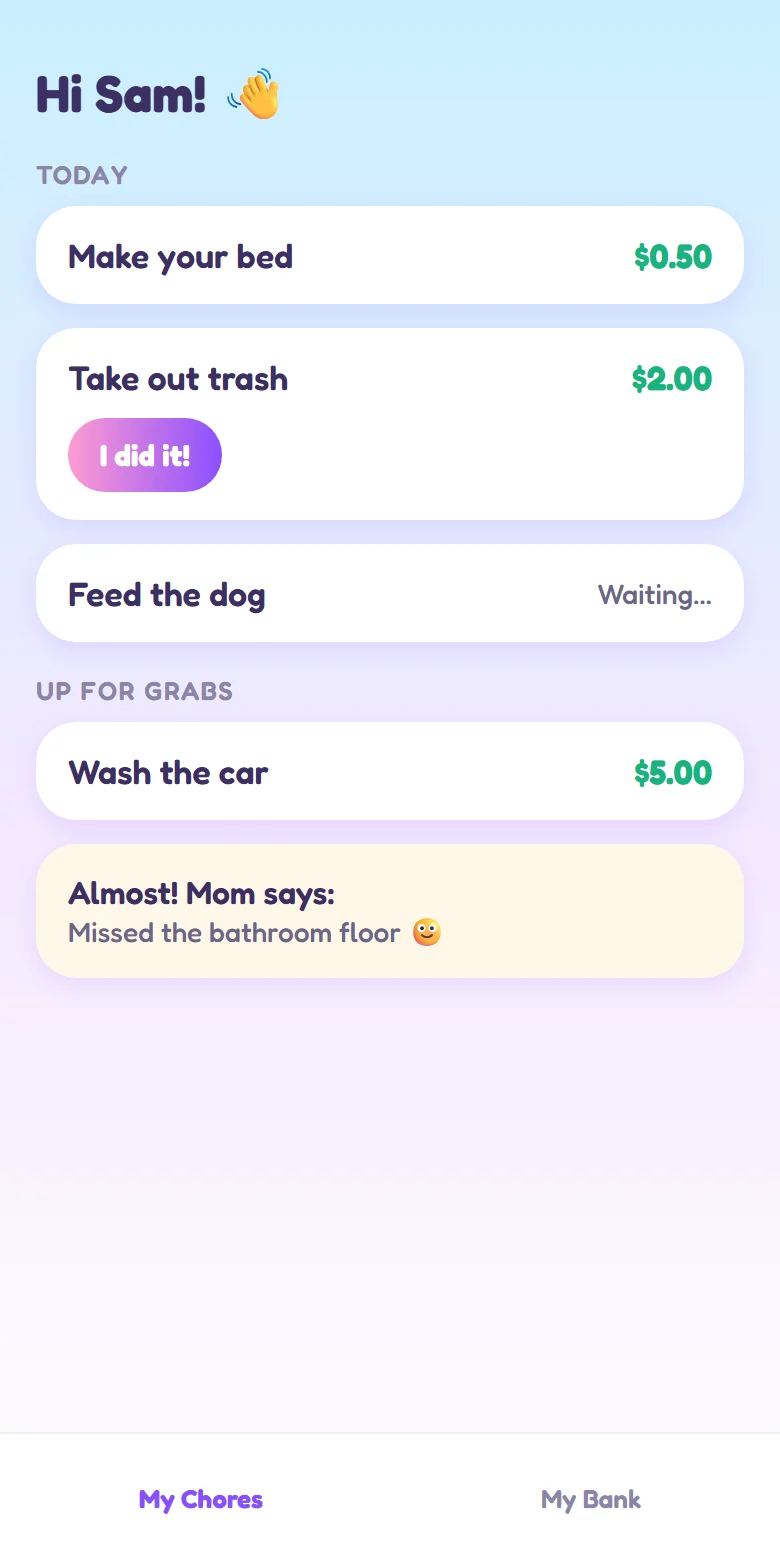
- Parents set the chores and what they pay. One-time, daily, certain weekdays or weekly, for one kid or "up for grabs" for whoever gets there first. A starter library of 24 chores with suggested amounts saves the blank-page problem.
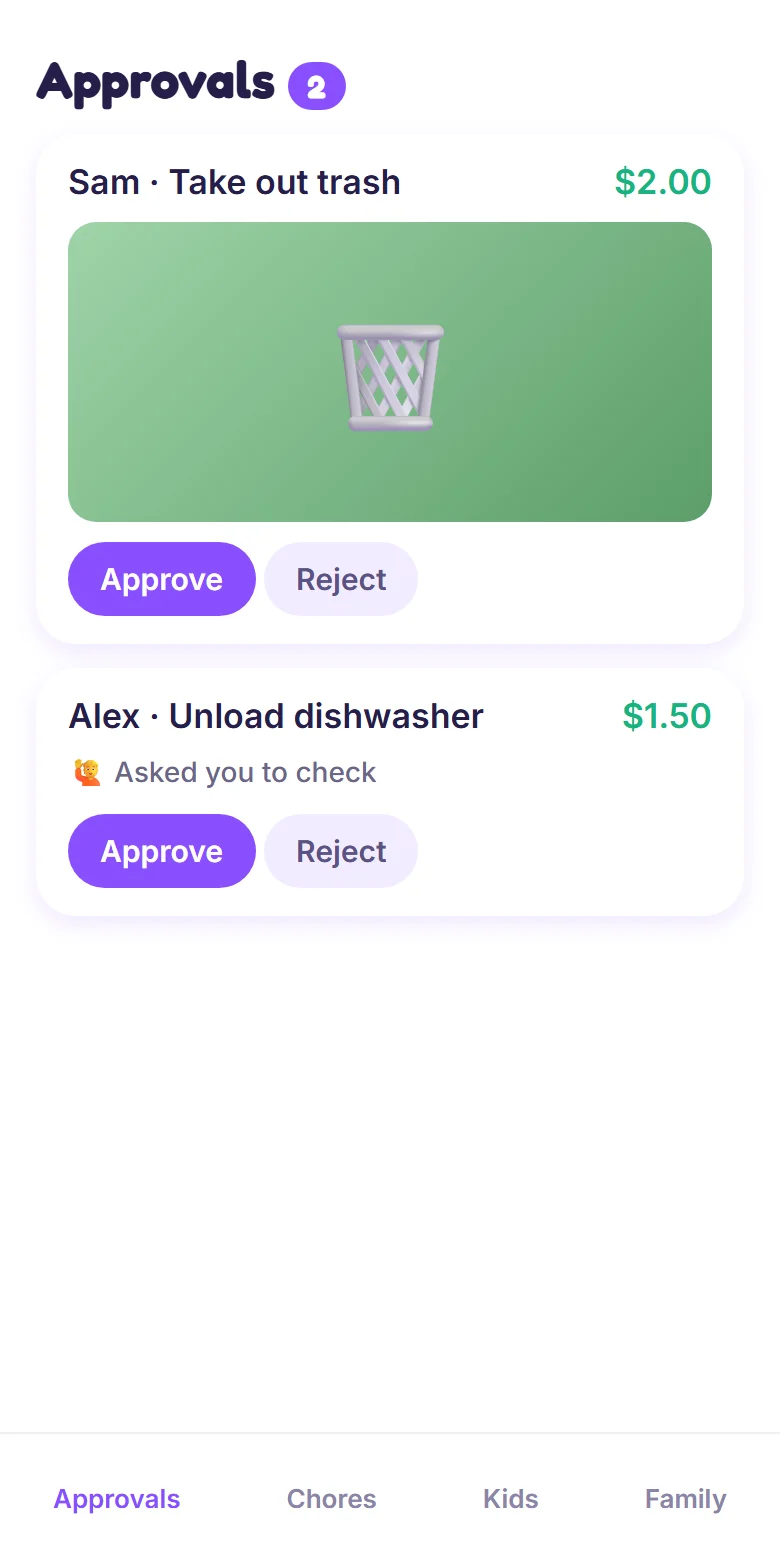
- Kids mark it done and either snap a photo as proof or ask a parent to come check.
- A parent taps Approve and the money drops into that kid's piggy bank right away, with a coin animation and a little clink.
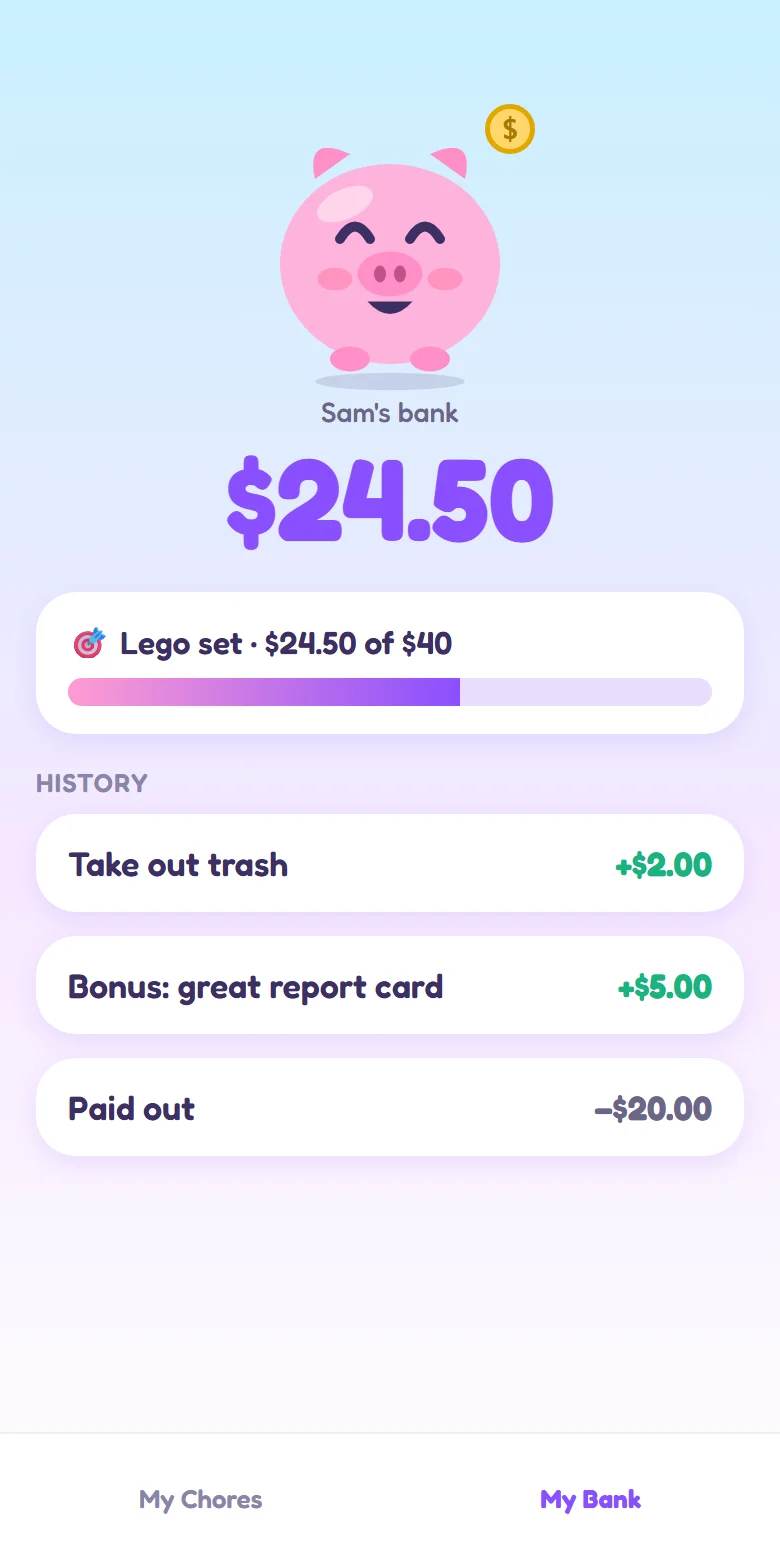
- Kids set a savings goal ("Lego set, $40") and watch the bar fill. Hitting it gets a celebration.
- Payday is one tap. It's pretend money, so parents pay out however they already do, then tap Paid all (or Spent, Bonus, Deduct). The balance can never go below $0.
- Notifications both ways: parents hear when something's waiting, kids hear when they got paid.
Meet Pip
Every kid app needs a mascot. Pip is a squishy pink piggy who gets visibly rounder as the bank grows. Pip looks hungry when there are chores waiting, happy right after a payday, stuffed and proud near a goal, and throws a party when the goal is hit. Each kid picks their own colors too, so the 8-year-old and the 13-year-old don't have to share a vibe.

What it looks like
Screens below use made-up names and sample data.
How it's built
- A phone-first web app on Netlify that installs to the home screen, with Supabase for the database, sign-in and photo storage.
- Every rule that matters lives in the database, not the app: one family can never see another family's data, a chore can only be paid once, and a balance can't go negative, even if two parents tap at the same moment.
- Kids don't need an email address. A parent shows a QR code, the kid picks a 4-digit PIN, and their tablet is set up.
- Built with Claude Code as a small team of AI agents: one wrote each piece, a separate reviewer checked it before the next piece started, and a final review traced every flow end to end.
- The reviewers earned their keep. They caught an invite that would have created a second family instead of joining yours, a way one family's photo could have been deleted by another, and an edit that could have paid a kid twice. All fixed before launch.
What it never does
- Moves real money, asks for a card, or links a bank account.
- Shows ads or tracks anyone.
- Asks kids for more than a first name and age. Proof photos are deleted 30 days after a parent decides.
PipPay is free for any family. Set yours up at pippay.app.