
Built for my family
Sydekick
An AI assistant I built for my wife, Sydni. It reads her email every morning, runs the family calendar, drafts the replies, and has a little cartoon version of her that reacts to her day.
The problem
Sydni runs our whole family schedule. Doctor appointments for the kids, sports, school conferences, permission slips, bills... all of it lands in her inbox, mixed in with receipts, newsletters and about four hundred "your order has shipped" emails.
So every day she'd dig through all of it to find the five things that actually needed her. That's not a job. That's a scavenger hunt. I wanted to give her that time back (and maybe score a few husband points... no comment).
What it does
- Reads her email every morning and sorts each one: needs her, an appointment, a bill or form with a due date, someone she's waiting on, or nothing at all. Most email is nothing at all.
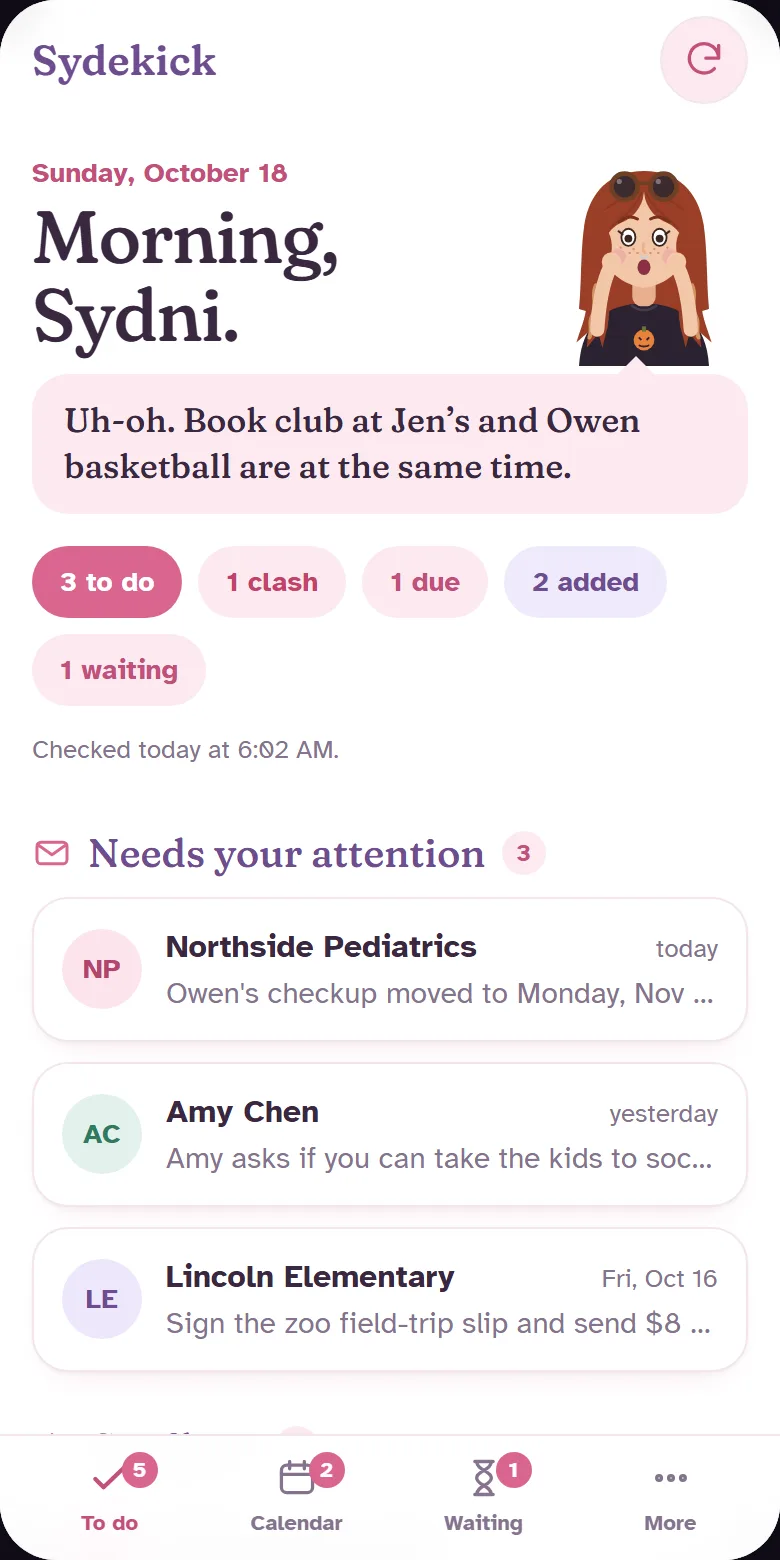
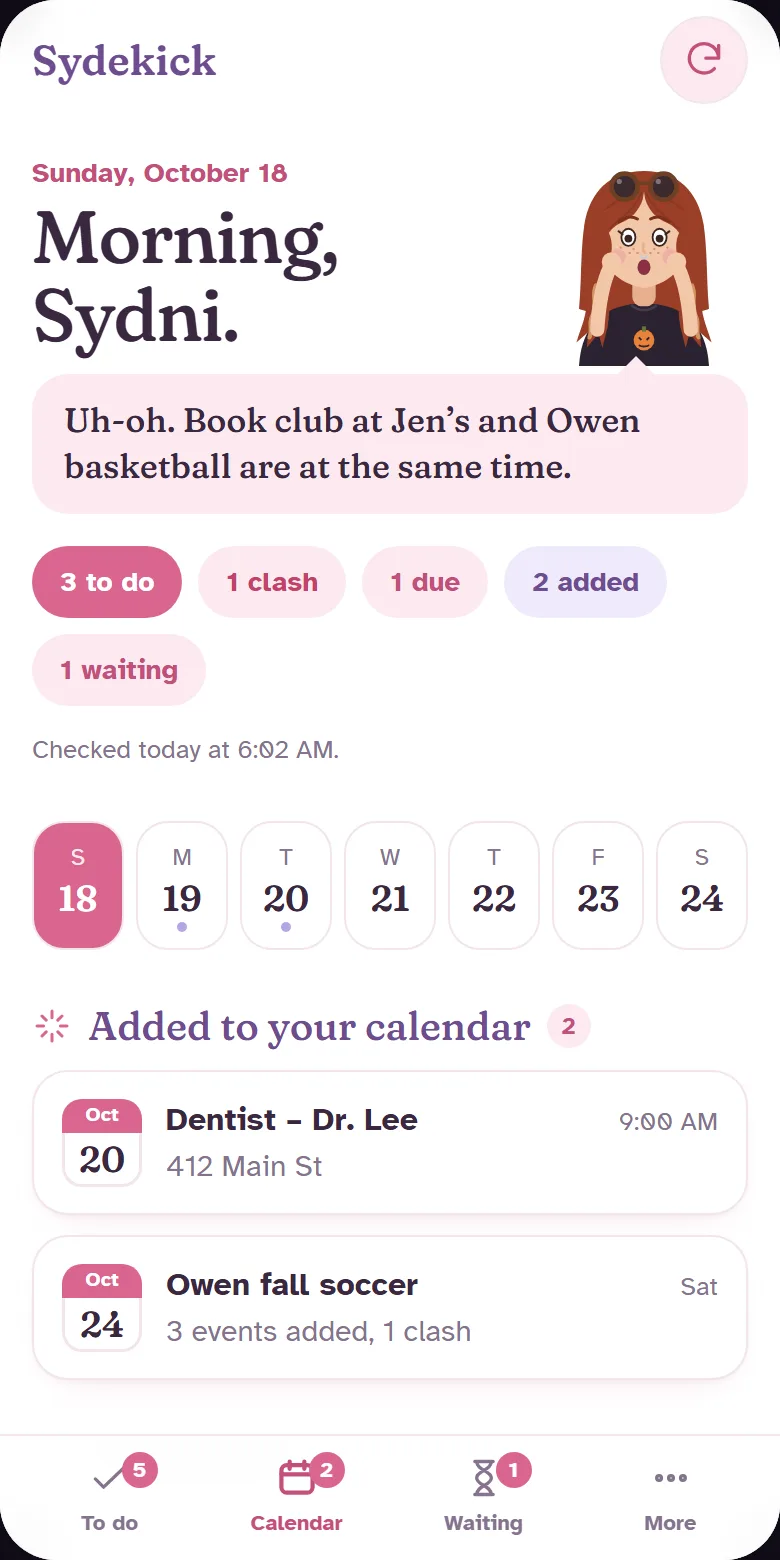
- Puts appointments on her Google Calendar by itself. "Owen's checkup moved to Monday at 10:30" turns into an update reminder, not a duplicate event. Calendar invites are left for her to answer.
- Flags clashes instead of guessing. If book club and basketball land on the same night, it shows her both and lets her pick.
- Adds a whole season at once. A coach sends a PDF with 14 games? All 14 go on the calendar, with one button to undo the batch.
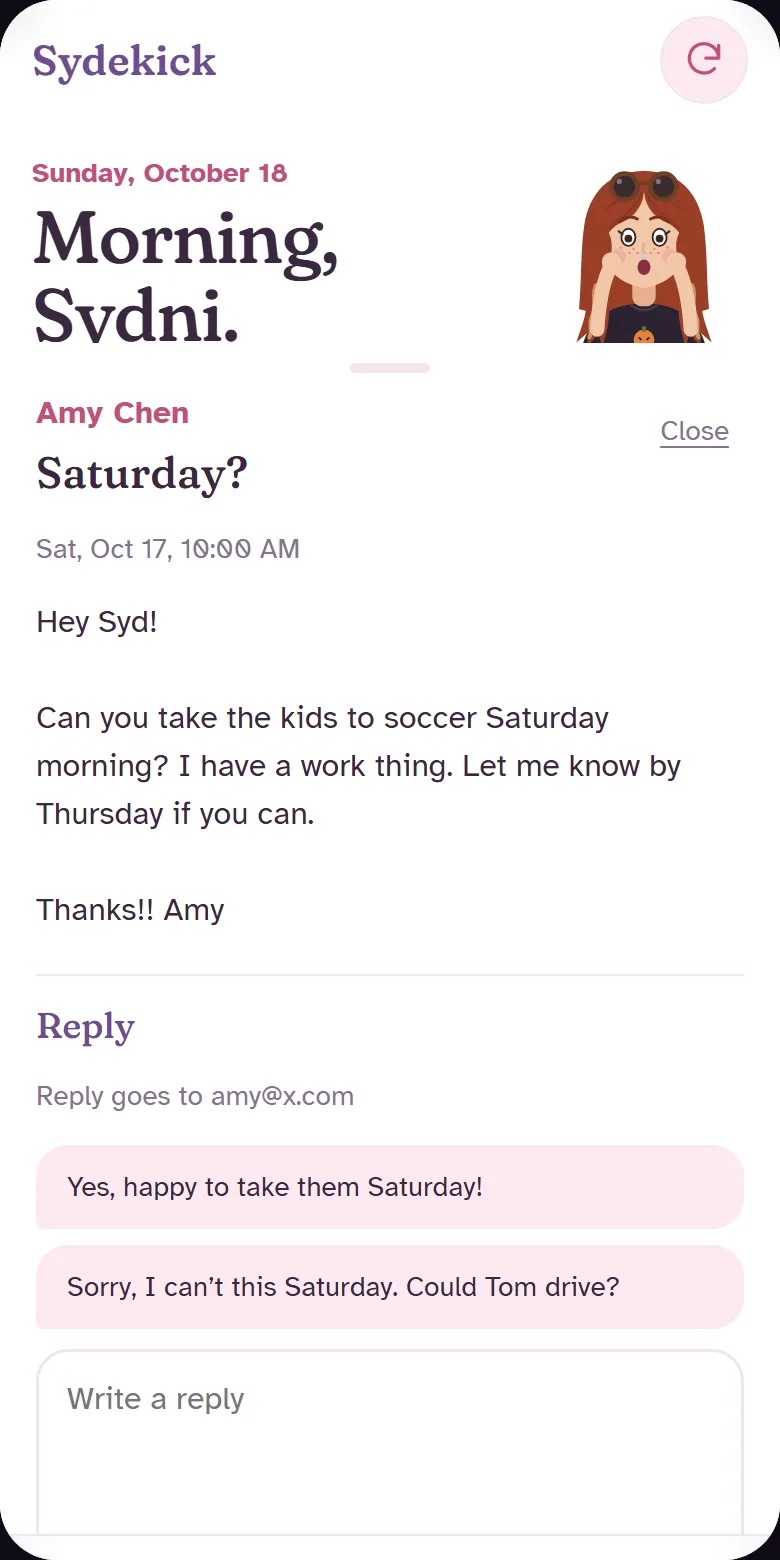
- Drafts the replies. She opens an email inside Sydekick, picks one of the suggested answers ("Yes, happy to take them Saturday!"), and taps Send. It only ever replies to the person who wrote, and nothing goes out without her tap.
- Emails her at 7 PM about tomorrow: what's on, where, what to bring (insurance card, cleats), and any slip that's still due.
Meet mini-Syd
Remember Lizzie McGuire's little cartoon self that reacted to everything? I wanted that for her. So Sydekick has a hand-drawn cartoon Sydni (curtain bangs, sunglasses on her head, freckles, horror-movie tee) who changes mood with her day.






"So… 2 library books are overdue. Just saying." That's her actual line when something slips. I may or may not have written that one from experience.
What it looks like
Screens below use made-up sample data. Her real inbox stays private.
How it's built
- A password-protected web app on Netlify she can add to her iPhone home screen.
- A daily job reads Gmail and asks Claude to sort each email. Claude Haiku does the sorting; Claude Opus writes the reply suggestions.
- Times are pulled "as written" and converted in code, so "3pm PST" lands at 5 PM Central every time (the AI got that wrong on day one, so I took the math away from it).
- Google Calendar for appointments, with a check against what's already there before anything gets added.
- About 230 automated tests, plus two independent code reviews before it was allowed to send a single email.
What it never does
- Stores her full emails. It keeps short summaries; the email itself is fetched when she reads it.
- Sends anything she didn't tap Send on, or emails anyone except the person who wrote to her.
- Invites people to events or deletes anything from her inbox.
Sydekick is private. It was built for one family and isn't available to use. If you want something like it for your own household or team, email me.